
Best Medical Software Stack for Small Private Clinics in 2026
Quick Answer
If you want the safest all-around choice for a small clinic in 2026, start with Athenahealth or eClinicalWorks. If billing is your biggest pain point, Kareo is often the fastest revenue-impact option. For mobile-first workflows, DrChrono is strong. If budget is extremely tight, Practice Fusion can work—but expect trade-offs.
Who This Guide Is For
This guide is for:
• Small clinics (1–20 providers) and private practices
• Owners who want faster collections and fewer claim rejections
• Doctors who need simple documentation and e-prescribing
• Practice managers who want fewer no-shows and better scheduling
• Clinics that must stay HIPAA compliant without hiring a large IT team

Why Picking the Right EHR Matters for Small Clinics
Small practices don’t have time for “enterprise complexity.” The wrong EHR can create a daily tax: extra clicks, slow charting,
billing delays, patient portal complaints, and expensive add-ons. The right EHR does the opposite: it speeds up notes, reduces
claim denials, improves patient communication, and gives you accurate reporting without an analytics department.
In buyer terms, an EHR is not just a record system—it’s a revenue and workflow engine. If your EHR improves charge capture,
reduces front-desk friction, and keeps patients engaged, you usually see measurable results within 3–18 months depending on
your starting point and how clean your billing workflows already are.
Buyer Checklist: What Small Clinics Should Demand in 2026
Before you choose any vendor, confirm you get these essentials:
1) Simple clinical workflow
• Fast charting (templates, macros, voice dictation options)
• One-click ordering, eRx, refill handling
• Easy problem list + meds reconciliation
2) Billing that actually boosts collections
• Claim scrubbing or validation
• Eligibility checks and prior auth support (if offered)
• Denial management workflow
• Clear reporting (AR, aging, payer performance)
3) Patient engagement (modern expectations)
• Patient portal + online forms
• Appointment reminders (SMS/email)
• Telehealth or integrations
• Online payments (ideal)
4) Security + compliance you can trust
• HIPAA-aligned controls, encryption, audit logs
• Role-based access and MFA options
• Backups + disaster recovery
5) Predictable total cost of ownership (TCO)
• Transparent pricing, clear add-ons
• Implementation plan and migration support
• Training included (or clearly priced)
Top EHRs for Small Clinics: 2026 Comparison Table
| EHR | Best For | Typical Clinic Size | Pricing Style | Billing Strength | Ease of Use | Patient Portal | Overall Fit |
| Athenahealth | Best overall balance | 3–50 providers | Revenue % or subscription (varies) | Excellent | High | Strong | A |
| eClinicalWorks | Best value | 1–50 providers | Per-provider subscription | Strong | Medium-High | Strong | A- |
| Kareo | Billing-focused clinics | 1–20 providers | Subscription tiers | Very strong | High | Good | B+ |
| DrChrono | Mobile-first workflows | 1–30 providers | Per-provider subscription | Strong | High | Good | B+ |
| Practice Fusion | Ultra-low budget | 1–10 providers | Free/low-cost + add-ons | Basic-Limited | High | Basic | B-/C+ |
WordPress tip: After paste, keep this table near the top—buyers scan first, then read details.
How We Scored Each EHR
We scored each product on criteria that matter for small practices:
• Buyer intent fit (does it solve billing + workflow fast?)
• Speed of implementation (weeks vs months)
• Total cost (software + add-ons + training)
• Day-to-day usability (provider + front desk)
• Support quality and onboarding resources
• Integrations and interoperability expectations
Important: “best” depends on your clinic type. A dermatology clinic with procedure coding has different needs than a family practice
with high volume and chronic care. So below you’ll see “Best for” recommendations and ideal clinic profiles.
1) Athenahealth Review
Best Overall for Small Clinics That Want Strong Billing + Fewer Headaches
Athenahealth is often chosen when a clinic wants a smoother end-to-end experience: scheduling + charting + billing + patient portal.
It’s cloud-first, so you don’t manage servers, and updates happen automatically.
Where Athenahealth wins for small clinics is revenue operations. If your current process has frequent eligibility surprises, denial loops,
or slow AR follow-up, Athena’s billing ecosystem can be a meaningful upgrade—especially if you don’t have a deep billing team.
Athenahealth: Key Features (Small Clinic View)
• Clinical documentation templates and specialty workflows
• E-prescribing + medication history tools
• Integrated scheduling + reminders
• Revenue cycle management tools (strong claim workflows)
• Patient portal and digital intake
• Telehealth options (native or integrated depending on package)
Athenahealth Pros & Cons
| Pros (Why buyers choose it) | Cons (What to watch) |
| Strong billing + collections support; fewer denials in many clinics | Customization can be limited compared with highly flexible systems |
| Cloud updates, low IT burden, good portal + intake | Pricing can be complex (percentage of collections or plan-based) |
| Good for growth: adds providers without heavy infrastructure work | Needs stable internet; you’re dependent on vendor uptime |
Athenahealth Pricing Reality
Pricing can be revenue-based (a percentage of collections) or packaged subscription depending on clinic type and contract.
For small practices, ask for:
• A clear “all-in monthly estimate”
• What’s included in billing and claim workflows
• Implementation and migration fees (and what they cover)
Buyer tip: if it’s percent-of-collections, negotiate caps, and confirm whether billing services are optional or bundled.
Athenahealth Is Best If…
Choose Athenahealth if you want:
• Strong billing performance and fewer administrative surprises
• A clean cloud system with automatic updates
• Good patient intake/portal experience without many add-ons
Avoid if:
• You need deep niche customization or unusual workflow logic
• You want a very low-cost solution with minimal monthly spend
2) eClinicalWorks Review
Best Value: Strong Feature Set Without Enterprise Pricing
eClinicalWorks is common in small-to-mid practices because it balances cost and capability. It tends to offer a broad set of
clinical and practice management features, with many specialty options. If you want a “serious” EHR but can’t justify an
enterprise contract, eClinicalWorks is frequently shortlisted.
From a buyer standpoint, eClinicalWorks can be a strong long-term platform—especially if you expect to add providers or
expand services (telehealth, labs, referrals).
eClinicalWorks: Key Features
• Charting + customizable templates (moderate flexibility)
• ePrescribing and refill workflows
• Integrated patient engagement tools (apps/portal)
• Practice management + billing options
• Telehealth tools (depending on plan)
• Reporting and operational dashboards (varies by setup)
eClinicalWorks Pros & Cons
| Pros | Cons |
| Good value for features; works across many specialties | Reporting can feel limited unless configured well |
| Scales with your clinic; decent training resources | Some clinics report occasional performance slowdowns |
| Patient engagement options can reduce no-shows and improve retention | Interface may require a learning curve for non-technical staff |
eClinicalWorks Pricing (Typical Small Clinic Pattern)
eClinicalWorks is usually priced per provider per month, with implementation/migration costs depending on complexity.
Ask for a written list of:
• Base subscription per provider
• Billing module costs (if separate)
• Patient portal / engagement costs
• EDI / clearinghouse fees and eRx fees (if applicable)
Buyer tip: request a 12–24 month cost projection, not just month one.
eClinicalWorks Is Best If…
Choose eClinicalWorks if you want:
• A strong balance of cost + capabilities
• A system that can scale beyond a solo practice
• Solid patient engagement features
Avoid if:
• You want the simplest “minimal clicks” UI from day one
• You rely on advanced custom analytics without extra configuration

3) Kareo Review
Best for Clinics Where Billing Is the #1 Priority
Kareo is popular with smaller practices that want to fix revenue cycle issues quickly. If you are losing money through
denials, slow follow-up, or inconsistent charge capture, Kareo’s billing-first orientation can be attractive.
Think of Kareo as a “collections upgrade.” If your current system has weak billing workflows, Kareo can help a clinic become
more predictable financially—especially when paired with good front-desk processes.
Kareo: Key Features
• Claims management and billing workflows
• Scheduling + reminders
• Insurance eligibility tools (plan dependent)
• Reporting for AR, payer trends, and collections
• Cloud access (low IT overhead)
Kareo Pros & Cons
| Pros | Cons |
| Strong billing tools; often improves collections processes | Clinical depth may be lighter than some full EHR suites |
| Quick setup for many small clinics | May require add-ons for advanced clinical workflows |
| Budget-friendly compared with enterprise platforms | Not ideal for complex multi-specialty environments |
Kareo Is Best If…
Choose Kareo if:
• Your top goal is faster collections and cleaner billing workflows
• You want something easy for admin staff
• You run a small clinic without complicated clinical documentation needs
Avoid if:
• You need very detailed specialty charting and deep clinical modules
4) DrChrono Review
Best for Mobile-First Clinics, Telehealth, and On-the-Go Providers
DrChrono is known for mobile-friendly workflows—especially for clinics that want to chart on iPad or run hybrid telehealth models.
If your providers move between rooms, clinics, or home visits, DrChrono’s mobility can reduce friction.
For buyer intent: DrChrono is often worth the cost when mobile convenience improves provider speed and patient throughput.
If time is money in your clinic, better mobile charting can pay for itself.
DrChrono Pros & Cons
| Pros | Cons |
| Excellent iPad/mobile workflow; fast charting for many providers | Can be pricier than budget platforms |
| Telehealth-friendly; good patient communications options | Android experience may be weaker depending on setup |
| Good fit for modern clinics that value usability | Some advanced reporting may require configuration |
DrChrono Is Best If…
Choose DrChrono if:
• You want strong mobile charting (iPad-first style)
• You run telehealth or hybrid care models
• Your providers value speed and UX
Avoid if:
• Your #1 goal is lowest monthly cost
• Your clinic needs enterprise-grade multi-hospital workflows
5) Practice Fusion Review
Best Budget EHR for New or Very Small Clinics (With Trade-Offs)
Practice Fusion is often considered by startups because it can be low-cost and quick to start. It’s best viewed as a “starter EHR”:
good enough to digitize records and manage basic workflows, but not always the strongest for deep billing performance or advanced
specialty needs.
Buyer reality: If your clinic is in growth mode and can afford a better platform, you may outgrow Practice Fusion. If you’re starting
from paper and want to go digital fast, it can be a bridge solution—especially while you validate your clinic operations.
Practice Fusion Pros & Cons
| Pros | Cons |
| Low entry cost; fast setup for small clinics | Feature depth can be limited for complex needs |
| Simple interface; easy for staff to learn | Billing tools may require add-ons or external workflow |
| Useful as a transitional EHR for early-stage clinics | Support and advanced integrations may be limited |
Practice Fusion Is Best If…
Choose Practice Fusion if:
• You’re a new clinic with minimal budget
• You need basic charting + eRx + portal functionality quickly
• You are okay upgrading later
Avoid if:
• You need strong denial management and billing operations
• You run specialty workflows that require deep customization
Pricing & Total Cost of Ownership (TCO) Table
Use this to compare the *real* cost (software + setup + add-ons).
| EHR | Typical Pricing Model | Setup/Migration | Common Add-Ons | Cost Level |
| Athenahealth | Revenue % or subscription | Low–Medium | Billing services, integrations | Medium |
| eClinicalWorks | Per provider/month | Medium | Portal features, reporting configuration | Medium |
| Kareo | Subscription tiers | Low | Eligibility tools, advanced billing options | Low–Medium |
| DrChrono | Per provider/month | Medium | Advanced reporting, integrations | Medium |
| Practice Fusion | Free/low-cost + upgrades | Low | eRx, billing upgrades, integrations | Low |
ROI: How an EHR Pays You Back
Buyers should think ROI, not just price. Typical ways small clinics recover EHR costs:
• Fewer claim denials (cleaner claims, eligibility checks)
• Faster collections (better follow-up, less rework)
• Higher provider throughput (faster documentation, templates)
• Reduced no-shows (automated reminders)
• Better patient retention (portal, online payments, messaging)
A practical approach: track 3 metrics before/after go-live:
1) Days in Accounts Receivable (AR)
2) Denial rate / rejection rate
3) No-show rate
If those improve, your EHR is doing its job.
Best EHR by Scenario (Buyer Intent Recommendations)
| Your Clinic Situation | Buy This | Why It Fits |
| You want the safest all-around pick | Athenahealth | Strong billing + portal + low IT burden |
| You want best value for features | eClinicalWorks | Balanced cost and strong capabilities |
| Billing is your biggest pain | Kareo | Billing-first workflows; practical revenue tools |
| You need mobile + telehealth speed | DrChrono | Mobile-first charting and modern UX |
| Your budget is extremely tight | Practice Fusion | Low entry cost; good starter option |
Demo Call Script: Questions to Ask Vendors (Copy/Paste)
Use these questions to force clarity (and avoid surprise fees):
Pricing & Contract
• What is the all-in monthly cost for my number of providers?
• What add-ons do most clinics like mine need?
• Is billing included or separate? Is clearinghouse/EDI included?
• What is the contract term and exit policy? Any data export fees?
Implementation
• How long does implementation take for a clinic like mine?
• What migration do you do (charts, meds, problem lists, appointments, billing data)?
• How many training hours are included? Live training or videos only?
Support & Reliability
• What support channels exist (chat/phone/email)? Response time SLA?
• What is your uptime SLA? How do you communicate outages?
• Do you support multi-factor authentication and role-based access?
Workflow Fit
• Show me: new patient intake, visit note, eRx, lab ordering, and claim submission.
• How do I customize templates for my specialty?
• How does the patient portal handle forms, results, messaging, and payments?

Implementation Plan for Small Clinics (Fast + Low Risk)
Step 1: Map your current workflow (1 day)
Write down how scheduling, intake, charting, billing, and follow-up work today.
Step 2: Pilot with 1–2 providers (1–2 weeks)
Don’t switch everyone at once. Validate templates, eRx, and billing flow first.
Step 3: Data migration + validation (1–4 weeks)
Check patient demographics, insurance, meds, allergies, and problem lists.
Step 4: Go-live with “floor support” (1–2 weeks)
Assign one staff member to handle issues in real time while vendors support you.
Step 5: Optimize after go-live (30 days)
Refine templates, shortcuts, reminders, billing edits, and portal settings.
WordPress-Ready Elements
Featured Image Placeholder:
[Insert a royalty-free image of a doctor using a tablet / clinic front desk + computer]
Internal Link Placeholder:
• Link to your pillar: “Best EHR Software in 2026 – Complete Comparison Guide”
• Link to pricing guide: “How Much Does EHR Software Cost in 2026?”
FAQ (Buyer Questions)
Q: What is the best EHR for a small clinic with 1–3 providers?
A: eClinicalWorks and Athenahealth are common shortlists. If cost is extremely tight, consider Practice Fusion as a starter.
Q: Is a cloud EHR safe for patient data?
A: Cloud EHRs can be very secure when properly designed with encryption, audit logs, backups, and access controls. Always confirm MFA and role-based access.
Q: How long does an EHR implementation take?
A: Many small clinics can go live in 2–8 weeks depending on data migration complexity and training.
Q: Which EHR helps billing the most?
A: Billing-focused platforms like Kareo (and billing-strong suites like Athenahealth) are often chosen when collections and denials are the biggest pain points.
Final Verdict
If you want the “least regret” choice for a small clinic in 2026, prioritize Athenahealth or eClinicalWorks.
They offer the best blend of usability, billing capability, and patient engagement for most clinics.
Choose Kareo if your main goal is faster collections and cleaner billing workflows.
Choose DrChrono if mobile workflows and telehealth speed are core to your model.
Choose Practice Fusion if budget is the biggest constraint and you’re okay upgrading later.
Next step: shortlist two vendors and run a demo using the script above. You’ll make a safer decision—and avoid surprise fees.
Specialty Fit Deep-Dive
Deep-Dive: Specialty Fit (Small Clinic Use Cases)
Family Medicine / GP
Look for fast chronic-care templates, easy refill workflows, and patient messaging. Athenahealth and eClinicalWorks are frequently strong here.
Pediatrics
Prioritize immunization workflows, growth charts, and parent portal usability. Make sure the system supports your vaccination documentation process.
Dermatology
You’ll want photo/document attachments, procedure-focused charting, and strong charge capture. eClinicalWorks often fits clinics that need flexible templates.
Dental / Allied Health
If you are in an adjacent niche, check whether the vendor supports your coding and charting style. Some clinics prefer specialty-specific platforms rather than general EHRs.
Behavioral Health
Confirm telehealth quality, secure messaging, and documentation workflows that reduce note time. Also confirm any requirements for consent forms and privacy features.
If your clinic is specialty-heavy, ask vendors to demonstrate your exact visit flow end-to-end during the demo, including billing submission.
Negotiation Tips to Lower Your EHR Cost
Most small clinics overpay because they negotiate only the monthly fee. Use these buyer tactics to reduce total cost:
• Ask for a line-item quote (software, billing, portal, eRx, EDI/clearinghouse, migration, training).
• Negotiate implementation and migration fees first—vendors often discount these to close the deal.
• Request a 60–90 day “opt-out” clause after go-live if critical workflows fail (or a support SLA).
• Ask for multi-provider discounts if you plan to add providers within 6–12 months.
• Confirm data export format and costs in writing to avoid lock-in surprises.
• If pricing is revenue-based, negotiate caps, thresholds, and what happens during seasonal slowdowns.
Buyer note: Vendors respond better when you present two finalists and ask both to sharpen their offer. Be polite, specific, and always ask for the final quote in writing.
Common Mistakes Small Clinics Make When Buying an EHR
Avoid these five mistakes—they cause most of the regret we see in small practices:
1) Buying for “features” instead of workflow speed. If notes take longer, your staff will hate it.
2) Ignoring billing workflow demos. A pretty interface doesn’t fix denial management.
3) Underestimating training. Budget time for staff and build cheat sheets for top tasks.
4) Not defining success metrics. Track AR days, denial rate, and no-shows before and after.
5) Skipping the exit plan. Always confirm data export options and contract termination rules.
Final Conclusion: Which EHR Should Small Clinics Choose in 2026?
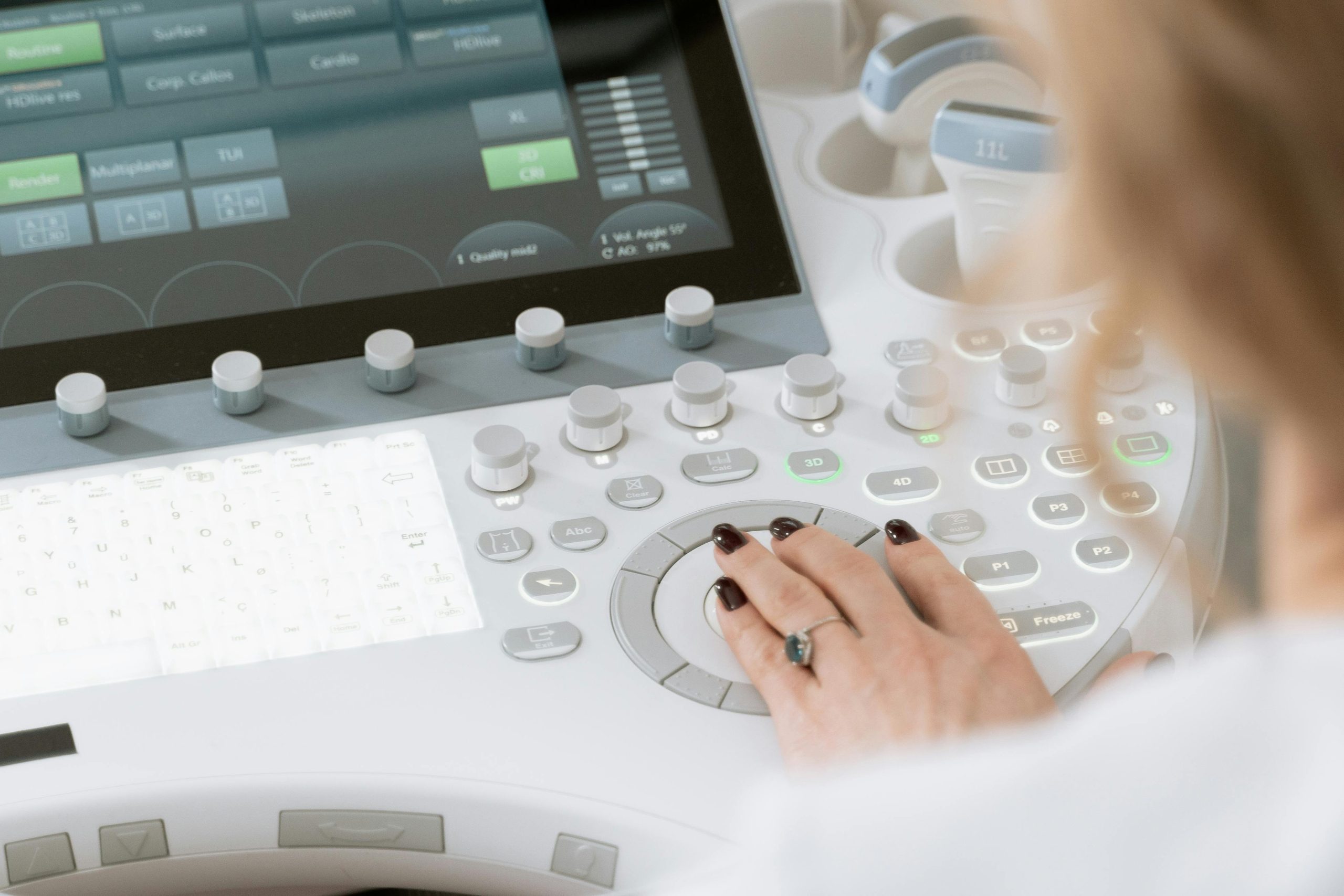
Choosing the right EHR software for a small clinic is not just a technical decision — it’s a strategic financial move. The system you select will directly affect your billing efficiency, staff productivity, patient satisfaction, and long-term compliance.
After comparing the leading platforms, here is the clear breakdown:
Practice Fusion can work for startups or extremely budget-conscious clinics, but most growing practices may outgrow it within a few years.
Athenahealth is the safest overall choice for clinics that want strong billing performance, reliable cloud infrastructure, and minimal IT headaches. It is ideal for growing practices that value stability and long-term scalability.
eClinicalWorks offers the best balance between cost and features. It works especially well for independent doctors and small multi-provider clinics that want flexibility without enterprise-level pricing.
Kareo is a smart option if billing and revenue cycle management are your biggest pain points. If your clinic struggles with claim denials or slow collections, Kareo can deliver measurable financial improvement.
DrChrono is best suited for mobile-first or telehealth-heavy clinics. If provider speed and modern UX matter most, this platform stands out.